By Tamsi Besson ·
Unsloth Studio HF live — train and run LLMs locally, no cloud
Notes from the Hugging Face live with Daniel Hanchen (UnslothAI): Studio, dynamic quants, benchmarks, and low-VRAM fine-tuning on Mac/Windows/Linux.
- Unsloth
- Hugging Face
- Fine-tuning
- GGUF
- Local LLM
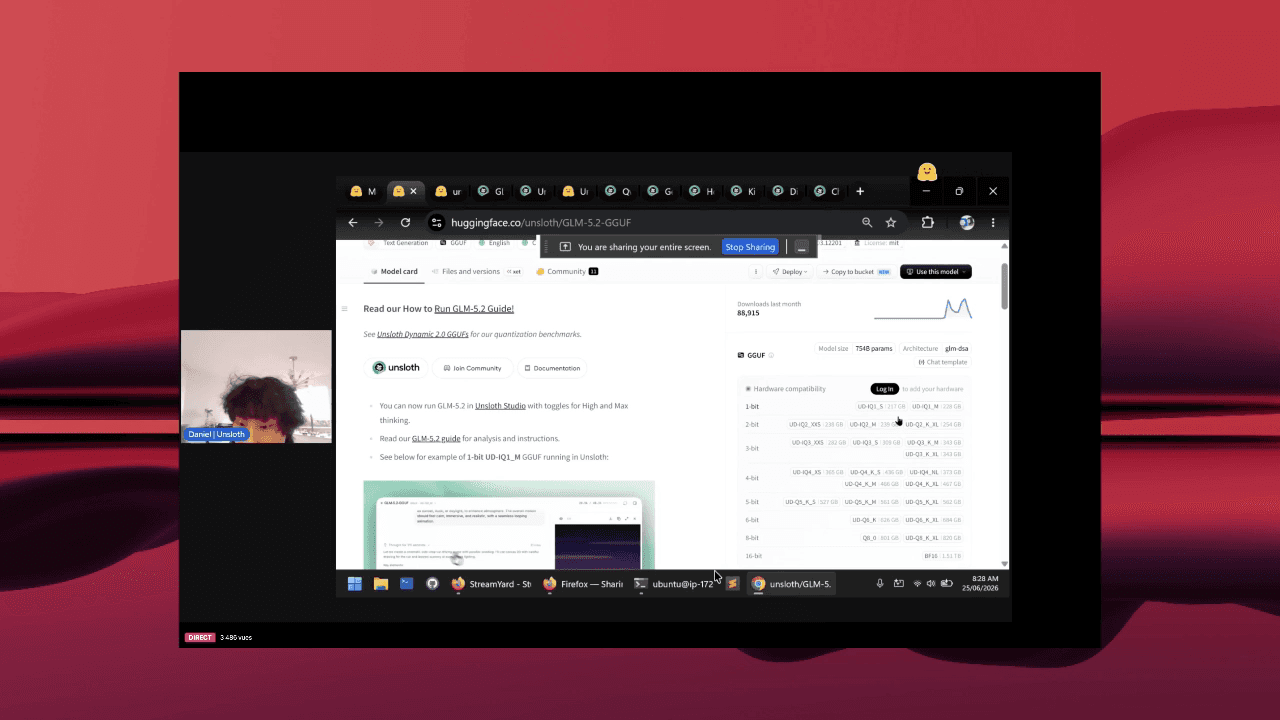
I watched the Hugging Face live with Daniel Hanchen (UnslothAI) on Unsloth Studio. The pitch is straightforward: an open-source web UI to train, run, and export open models (Gemma, Qwen, DeepSeek, etc.) entirely on your machine — Mac, Windows, or Linux — without minute-billed cloud GPUs.
Why I care
My stack already revolves around local and self-hosted: Qwen on vLLM/AWS for the heavy agent, Ollama for the light path, GGUF wherever I can. What was often missing is the “workshop” layer: prep a dataset, run a fine-tune, compare quants, export to Ollama or llama.cpp — without chaining five tools and ten YAML files. Studio targets that unified workflow in the browser, on your box.
What Unsloth Studio is
Unsloth Studio (beta) is the web UI for the Unsloth project: no-code for most tasks, backed by Unsloth kernels that claim ~2× faster training and ~70% less VRAM, with official benchmarks (including Hugging Face verification runs) showing real speed and memory wins vs the standard Hugging Face + PEFT stack.
- Local chat and inference: GGUF and safetensors, llama.cpp + Hugging Face, multi-GPU and automatic offload.
- Fine-tuning: 500+ text, vision, audio/TTS, and embedding models — LoRA, FP8, full fine-tune as needed.
- Data Recipes: PDF, CSV, DOCX, JSON → synthetic datasets without hand-rolling everything.
- Export: 16-bit safetensors, GGUF (2-bit and beyond) for Ollama, LM Studio, vLLM, etc.
- Side-by-side model / quant comparison in the same UI.
Dynamic quants and benchmarks
A core part of the live: dynamic quantization — not just default 4-bit, but aggressive quants (2-bit, GGUF) with quality / speed / VRAM curves on official benchmarks. The goal isn’t “compress at all costs” but pick the right tradeoff for your hardware: a 27B that won’t fit in FP16 can become usable for local inference or LoRA fine-tuning on a single consumer card.
Daniel stresses reproducibility: numbers aren’t from a tweet, they’re documented and compared to the HF baseline. If you’re choosing between AWQ, GPTQ, GGUF Q4_K_M, or lower, Studio’s comparison demo saves hours of manual testing.
Live demo: load, infer, fine-tune
The session walks through concrete examples: search and download a model, launch chat with auto inference settings (temperature, top-p, templates), sandboxed code execution (Bash + Python), and self-healing tool calling. You also see the training path — upload docs, Data Recipe graph, VRAM-optimized fine-tune — then GGUF export for fully offline use.
# Run Studio locally (official docs)
unsloth studio -p 8888
# → http://127.0.0.1:8888
Platforms
- NVIDIA (RTX 30/40/50, Blackwell…): training + GPU inference.
- macOS: training, MLX, and GGUF inference — matches my laptop setup.
- CPU only: chat + Data Recipes; heavy training stays on NVIDIA GPUs for now.
- AMD: chat works; Studio training coming soon (Unsloth Core already available).
Q&A with the HF host
The live closes with a video chat with the Hugging Face host: HF × NVIDIA partnership, multi-GPU and Apple Silicon MLX roadmap, and the product philosophy — make open-source AI as simple as a SaaS app, without shipping your weights and data elsewhere. Same thread as my Qwen self-hosted posts: control, predictable cost, offline when you need it.
Takeaway
Unsloth Studio doesn’t replace Cursor or my vLLM endpoint for daily agent work. But for “I want to adapt a Qwen/Gemma to my use case, quantize it properly, and serve it locally,” it’s one of the most complete interfaces today — especially if you want to skip pay-per-hour cloud training. I’m keeping the recording as reference; Unsloth docs and repo for install.
- Workshop article: /blog/unsloth-studio
- Studio docs: unsloth.ai/docs/new/studio
- Repo: github.com/unslothai/unsloth
- HF announcement: Daniel Hanchen’s post on the Hub